
Blending two Pokémon into one adds excitement to Pokémon gameplay. PC game Pokemon Infinite Fusion pioneers this novel concept.
Pokémon Fusion is becoming popular, so players want a mobile version. This article covers “Pokémon Infinite Fusion’s” mobile version’s download, installation, play, and winning strategies.
What is Pokémon Infinite Fusion Android?
Pokémon Infinite Fusion is primarily designed for Windows but can also be played on Android devices using JoiPlay. As of now, the latest Android version is 6.2.4.
JoiPlay is an app that allows you to play various PC games, including RPG Maker titles, on your Android device.
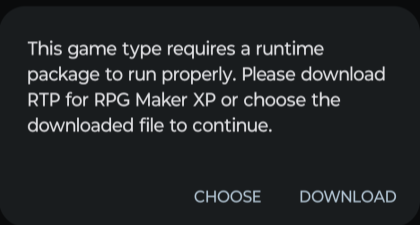
Since Pokémon Infinite Fusion is made with RPG Maker, you’ll need the RPG Maker plugin for JoiPlay.
Obtain the latest version of the game from this official website only.
Download Pokémon Infinite Fusion For Android
| ROM | Size | Link |
|---|---|---|
| Pokemon Infinite Fusion For Android | 1.3 GB | Download From Mediafire |
If you are looking for Mac version Please Visit Pokemon Infinite Fusion For Mac
Pokemon infinite fusion download for other devices
Important Note: Version 6.2.4 includes all custom sprite packs, but the “?” sprite issue still exists on Android. Due to the large file count (around 406,000), a preloaded version for Android isn’t provided by us, as it may cause serious issues on your phone.
Below is a step-by-step guide for installing the game in your phone
Compatible Devices
If your device works but isn’t listed here, please let us know in #tech-support so we can update the list.
Devices Confirmed Working:
- Samsung: Galaxy Tab S6 Lite, S10, S9, S7, A21S, Galaxy Tab S9+, Galaxy S23 Ultra, S24 Ultra, A71, A13, A12, Galaxy Z Fold 6, Galaxy S22 Ultra, Galaxy S21 Ultra, A24, A32, A33, Galaxy Z Flip 6, Galaxy S20 Ultra
- Google Pixel: Pixel 4A, Z Flip 5, Pixel 5A, Pixel 6 Pro, Pixel 6A, Z Fold 4
- Others: Lenovo Tab M10 Gen 3, Redmi K50i, Vivo Y35, Motorola Edge Plus 5G UW (2022), Xiaomi Mi 10T, Huawei Nova 10 SE, Itel P55, Anbernic RG505, Oukitel WP26, Oppo A96, Retroid Pocket 4 Pro, AGM G2 Guardian, Xiaomi 11T Pro
Devices Confirmed Not Working:
- Galaxy S8 Plus, Pixel 7/8/9 (all versions), A03, S21 FE, Huawei Y7
Pokémon Infinite Fusion Installation Guide For Android:
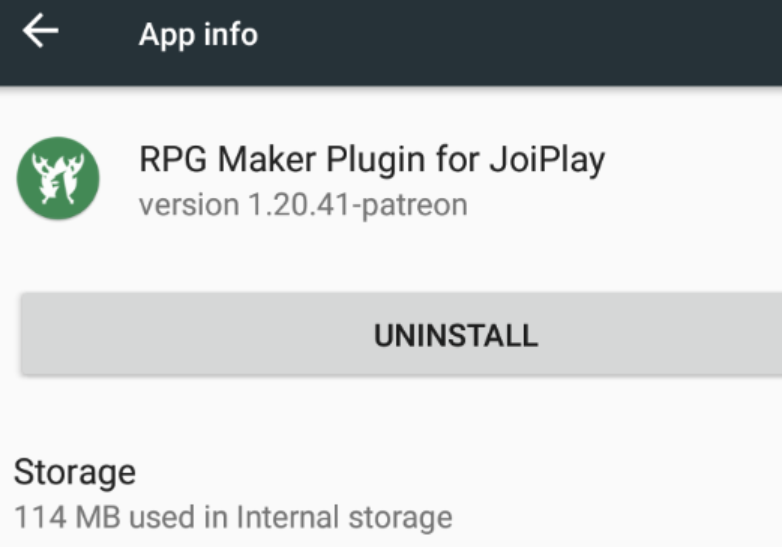
Step 1: Remove JoiPlay and RPG Maker
- Uninstall both JoiPlay and RPG Maker since the newest versions won’t work with this game.
- To Uninstall JoiPlay: Go to Settings > Apps > JoiPlay > Uninstall.
- To Uninstall RPG Maker: Go to Settings > Apps > RPG Maker > Uninstall.
Step 2: Get the Game (v6.2.4)
- Download the latest game version from the link above.
Step 3: Download JoiPlay & RPG Maker
- Download JoiPlay and the RPG Maker plugin.
Step 4: Unzip the Game Files
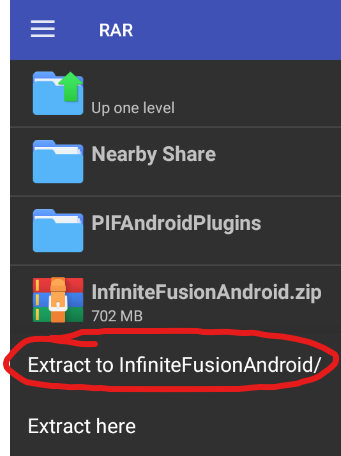
- Install a RAR extractor from Google Play.
- Open the extractor, find your downloaded game files, and unzip InfiniteFusionAndroid.zip and PIFAndroidPlugins.zip.
Step 5: Install JoiPlay
- Go to your Files app, open the PIFAndroidPlugins folder, and install JoiPlay from the APK file.
Step 6: Install RPG Maker Plugin
- Next, install the RPG Maker APK.
Step 7: Move Your Save Files (If Needed)
- If this is a fresh install, skip this step.
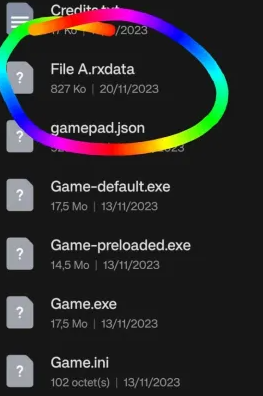
- If you’ve played before, move your save file (File A.rxdata) into the main game folder, making sure it’s named File A.rxdata.
Step 8: Add the Game in JoiPlay
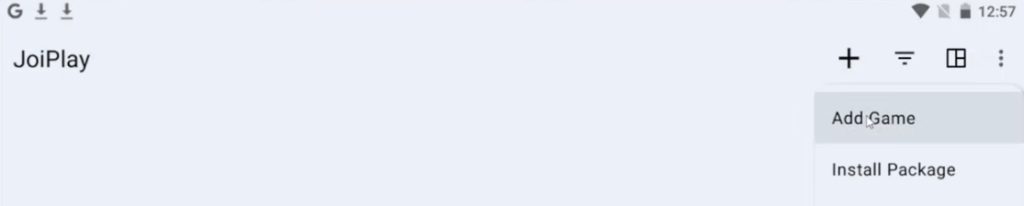
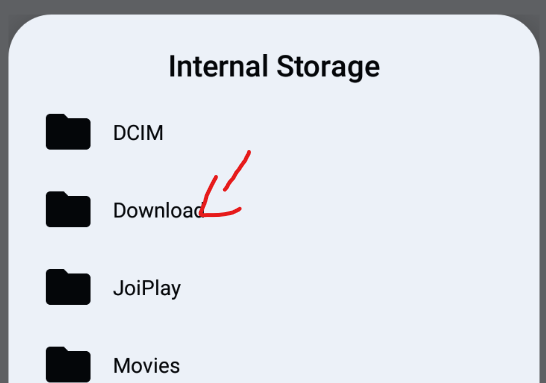
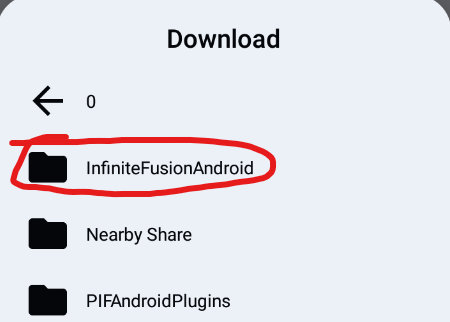
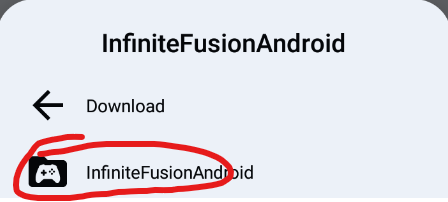
- Open JoiPlay, tap the + button, choose Add Game, find your InfiniteFusion folder, select Game.exe, and tap Choose.
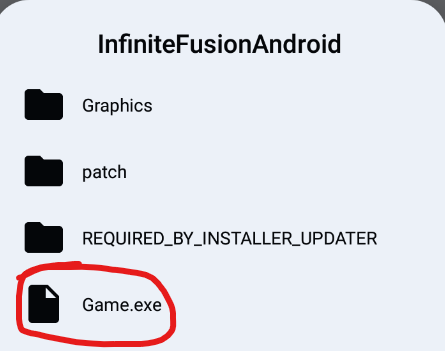
Step 9: Name the Game and Set Version
- Enter a name for the game and set the version to 6.2.4.
Step 10: Start the Game
- Tap on InfiniteFusion in JoiPlay to launch the game.

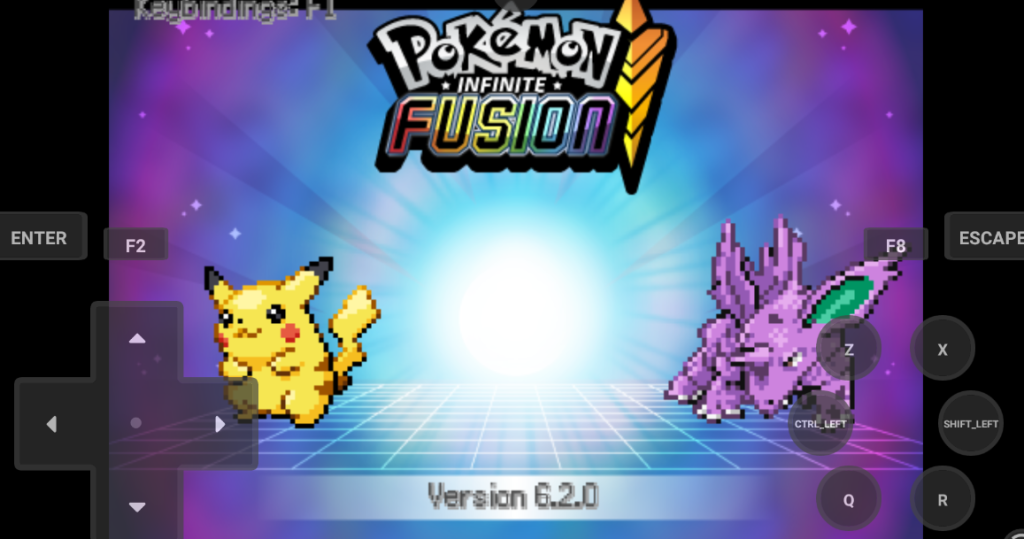
Final Note: Once in the game, press ESC to open Options. Turn OFF Download Sprites, then save and restart the game to apply the settings.
How to Update the Game on Android
Since there’s no auto-update on Android, follow these steps to update manually:
- Change the name of your current game folder to InfiniteFusionAndroidOld.
- Download the latest game version from the link in this guide and unzip it.
- Copy your save files into the new game folder.
- In JoiPlay, delete the old game, then add Game.exe from the new folder.
Common Issues and Fixes For game In Android
Error 1 – HTTP Error Fix
If you get this error, you might have downloaded a fake version. Uninstall both JoiPlay and RPG Maker, then reinstall them using the files provided in this guide.


Error 2 – Compile Error: Game Not Supported
This error usually means your device isn’t compatible. You can try switching the engine type to RPG Maker (mkxp-z) in JoiPlay, but if the error still shows up, your device may not be able to run the game.

Error 3 – Elite 4/Pokémon League Fix
If you downloaded the game after June 7th, this issue should be fixed. If it isn’t, uninstall your current RPG Maker and install the version with the Elite 4 fix.

Error 4 – Map/Tileset Error
This error might happen on devices that aren’t fully supported. Try optimizing maps in JoiPlay.


If it keeps crashing, your device may not be able to handle the game.

Error 5 – Typing Issues or Swapped Arrow Keys
In the game settings, set text entry to Cursor mode to fix this.


Error 6 – Changing Controls
To change the controls, open Gamepad Settings in JoiPlay from the menu in the top right.


For PC players, here’s what the default controls look like:

–> If you face any issues you can read our guide Pokemon Infinite Fusion Issues and Fixes
How to Fuse Pokémon
In the intriguing game “Pokémon Infinite Fusion,” players can combine two Pokémon species to create new ones.
The game’s appeal comes from its innovative mechanic, which offers countless customization and strategic options. This detailed guide explains how to fuse Pokémon in the game and its results.
Acquiring a DNA Splicer
Getting a DNA Splicer is the first step in the fusion process since it is an essential item that allows two Pokémon to fuse.
DNA Splicers are available at all PokéMarts, so players can try the fusion mechanic early on and throughout their adventure.
DNA Splicers’ accessibility emphasizes the game’s focus on fusion, encouraging players to explore Pokémon combinations’ vast potential.
Selecting Pokémon to Fuse
After acquiring a DNA Splicer, choose two Pokémon from your party to fuse. Since Pokémon choice affects fusion appearance, stats, and move pool, this choice is crucial.
To create a fusion that fits their team’s strategy, players must consider Pokémon types, abilities, and strengths.
The Fusion Process
The fusion process can be started by players with the DNA Splicer and two chosen Pokémon. The chosen Pokémon’s traits are then combined in the game to create a new species that has traits from both “parents.”
A Pokémon created by the fusion has a distinct appearance that frequently combines visual elements from the two originals, giving it a novel and occasionally unexpected appearance.
Inherited Traits
The new Pokémon has a move pool and set of stats that combine elements from both of its ancestors, providing a variety of tactics and skills.
As a result, the fused Pokémon may acquire the best traits from both of its parents, as well as their weaknesses and special skills, as well as their set of movements.
Selecting which Pokémon to fuse requires strategic thinking because you must anticipate and prepare for these possible outcomes to produce a strong and adaptable teammate.
Strategic Considerations
Creating the most powerful or aesthetically pleasing creature is only one aspect of fusing Pokémon; other considerations include team composition and strategic depth.
Gamers must think about how the combined Pokémon fits into their group, how it enhances the skills of other team members, and how it can be utilized to foil the tactics of rivals.
The fusion mechanic encourages experimentation and creativity, pushing players to think outside the box and explore combinations that could yield unexpected advantages in battle
Tips for Playing Pokémon Infinite Fusion Mobile
Because “Pokémon Infinite Fusion Mobile”‘s main feature is fusing Pokémon to create new species, it offers a distinctive take on the classic Pokémon gameplay.
This feature adds depth to the game’s strategy and allows for customization and creativity not seen in the main series.
These detailed tips will help players navigate this expansive and innovative game and maximize their Pokémon fusion experience.
Experiment with Fusions
- Expand Your Horizons: With so many combinations, the game encourages players to experiment. Try different fusions to find your next powerhouse or teammate with unique abilities and aesthetics.
- Document Your Discoveries: Tracking your fusions and results can be very helpful, especially as you try different combinations. This can help you determine which fusions suit your playstyle and which to avoid.
Consider Stats and Movepools
- Balance Is Key: When fusing Pokémon, consider how their stats will complement your team. Balance offense, defense, and speed for a versatile team.
- Synergy Between Moves and Types: Look for fusions that not only have strong stats but also a synergistic set of moves. Combining Pokémon with complementary types can give you a wide move pool and an advantage in battles.
Embrace Different Strategies
- Adaptability: Finding novel strategies to surprise your opponents is fun. There are many fusion options to create teams that defy Pokémon archetypes, giving you new ways to defeat opponents. Use losses as learning opportunities, not as discouragements. Understanding why a team composition or strategy failed can inspire new fusion and battle tactics.
Conclusion
Pokémon fans admire “Pokémon Infinite Fusion Mobile” for its creativity and dedication. This game reinvents Pokémon gameplay with the fusion mechanic.
Mobile versions of this game make it more accessible and appealing, letting players play this unique Pokémon adventure anytime, anywhere.
The game’s fusion mechanic expands Pokémon’s universe, pushing its limits. With over 176,000 combinations, “Pokémon Infinite Fusion Mobile” lets players explore new creative, strategic, and personal expression territories.
This customization ensures that no two players’ experiences are the same, creating a personal connection to the game and its outcomes.
“Pokémon Infinite Fusion Mobile” is a welcome change for longtime Pokémon fans. It forces players to rethink their strategies and encounter their favorite Pokémon in new ways.
The game combines nostalgia for the original series with new gameplay mechanics, giving Pokémon fans a new way to celebrate.


